
I remember sitting in the drafty basement of the old parish hall last autumn, surrounded by the smell of damp paper and decades of forgotten dust. I was staring at a stack of handwritten minutes from 1974, realizing that if a single leak hit that box, our entire history would simply evaporate. Most people will tell you that learning how to digitise an archive requires a massive budget or a degree in information technology, but that is absolute nonsense. You don’t need a high-end scanning suite or a consultant in a suit to save your community’s soul; you just need a bit of grit and a sensible plan.
I’ve spent thirty years watching well-meaning committees crumble because they lost their paper trail, and I refuse to let that happen to yours. In this guide, I’m going to show you the practical, low-cost way to move your records from those dusty cardboard boxes into a digital space that actually works. No jargon, no expensive fluff—just the straightforward steps you need to ensure your group’s hard work is preserved for the next generation.
Stop Losing History Why Your Committee Needs to Digitise an Archive
I’ve sat in far too many drafty village halls, watching a perfectly good committee dissolve simply because the person with the heavy ring of keys and the filing cabinet decided to move to Cornwall. When that happens, the institutional memory goes with them. We treat our old minutes and meeting notes like they’re indestructible, but paper is fickle; it fades, it burns, and it gets lost in a house move. If we don’t move beyond these physical piles, we aren’t just losing paper—we are losing the very roadmap that tells us why certain decisions were made a decade ago.
Moving to a more modern approach isn’t about being “techy” for the sake of it; it’s about survival. By implementing basic archival scanning workflows, we ensure that even if a basement floods, our history remains intact. It’s about making sure the next generation of volunteers doesn’t have to start from scratch every single time a chairperson retires. Using something as simple as cloud storage for digital assets means that the history of our street isn’t locked in a single drawer, but is instead a living, breathing resource that anyone on the committee can access when they need to prove exactly what we promised to do.
Setting the Foundation With Professional Digital Preservation Standards
Now, I know what you’re thinking: “Deborah, we’re just a group of volunteers, not the British Library.” And you’re right. We aren’t looking for perfection, but we do need a bit of a backbone so our hard work doesn’t vanish when someone’s laptop crashes. If you want these records to last longer than the next committee election, you need to think about digital preservation standards in a practical way. It isn’t about expensive software; it’s about making sure the files you create today can actually be opened ten years from now.
The secret is in the routine. Instead of just snapping photos on a phone, try to establish some basic archival scanning workflows. This means using a proper scanner to ensure high-resolution image capture for every page. If you just save a blurry JPEG, you’ve essentially thrown the information away. Once you have those clear images, you can use optical character recognition technology to turn those old, dusty handwritten notes into searchable text. It’s a bit more effort upfront, but it means your successor won’t be squinting at a screen trying to guess what the treasurer wrote in 1994.
Mastering Archival Scanning Workflows for Every Paper Trail
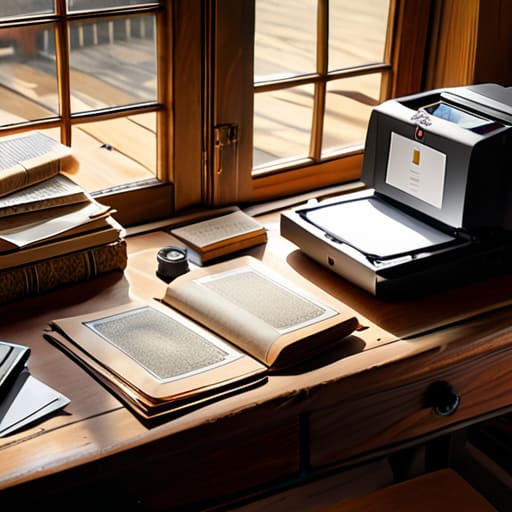
Now, don’t let the technical jargon scare you off; you don’t need a degree in information science to get this right. The trick to successful archival scanning workflows is consistency. If one person scans a minute sheet at a tilt and another uses a smartphone app, you’ll end up with a digital mess that no one can use. I always tell my neighbors to start with a dedicated “scanning station”—even if it’s just a corner of the church hall table. You want to aim for high-resolution image capture every single time. It takes a few seconds longer, but if you’re looking at a faded handwritten note from 1974, you’ll be glad you didn’t settle for a blurry, low-quality thumbnail.
Once you have the images, you need a way to find them without clicking through a thousand files. This is where optical character recognition technology becomes your best friend. It essentially turns those pictures of text into searchable data. Instead of hunting for “the meeting about the playground” for twenty minutes, you just type the words into a search bar. It turns a pile of digital pictures into a living, breathing resource that any committee member can actually use.
High Resolution Image Capture Making Every Detail Count
Now, I know what you’re thinking: “It’s just a piece of paper, Deborah, does it really matter if it’s a bit blurry?” Well, if you want these records to last another fifty years, the answer is a resounding yes. When we talk about high-resolution image capture, we aren’t just talking about taking a quick snap on a smartphone to show a neighbor. We are talking about capturing the texture of the parchment and the faded ink of a 1974 planning minute. If the scan is poor, you’ve essentially wasted your time and your committee’s hard-earned funds.
To get this right, you need to move beyond basic settings. Aim for a high DPI (dots per inch) count—at least 300, though 600 is better for those tiny, handwritten notes. This level of detail is what allows optical character recognition technology to actually work later on; if the machine can’t read the letters because the image is fuzzy, your searchable database becomes useless. Don’t cut corners here. It is much harder to re-scan a delicate, brittle document a second time than it is to simply do it properly the first time.
Unlocking Searchable Power via Optical Character Recognition Technology
Now, this is where the real magic happens. You can have all the beautiful, high-resolution scans in the world, but if they are just “pictures” of words, they are essentially silent. If I want to find a specific mention of a land dispute from 1974, I shouldn’t have to click through five hundred individual files. This is where optical character recognition technology steps in to do the heavy lifting. It essentially “reads” the text within your images and converts it into data that a computer can actually understand and search.
When you integrate OCR into your archival scanning workflows, you aren’t just saving files; you are creating a living, breathing resource. Instead of a digital graveyard of PDFs, you end up with a searchable library. I always tell my committees: don’t just settle for a digital copy when you can have a searchable legacy. Once that text is indexed, you can feed it directly into your document management systems, making it easy for even the least tech-savvy member of the group to find exactly what they need in seconds.
Building a Digital Fortress With Document Management Systems
Now, once you’ve got those lovely high-resolution scans tucked away, you can’t just leave them sitting in a folder named “Misc Scans” on someone’s desktop. That is a recipe for disaster, and I’ve seen it happen more times than I care to admit. To truly protect your work, you need to implement proper document management systems. Think of this as the digital equivalent of a sturdy, fireproof filing cabinet, but one that the whole committee can access without tripping over each other. It keeps everything tidy and, more importantly, ensures that the person who holds the password today isn’t the only one who knows where the records are kept tomorrow.
The real secret to making this work, though, lies in your metadata schema for archives. It sounds a bit technical, I know, but it’s really just a fancy way of saying “labeling your stuff properly.” Instead of just naming a file “Meeting_Notes,” you should include the date, the committee name, and the subject. When you combine a sensible naming convention with reliable cloud storage for digital assets, you aren’t just saving pictures; you are building a legacy that the next generation of volunteers can actually use.
Five Practical Rules for Keeping Your Digital Records from Vanishing
- Don’t try to do it all in one weekend. I’ve seen committees burn out by trying to scan fifty years of meeting minutes in a single Saturday. Pick one small box—maybe the financial receipts or the most recent year of minutes—and get that sorted first. Small wins keep the volunteers coming back.
- The “One Person, One Password” trap is a recipe for disaster. I once saw a lovely neighborhood group lose access to their entire history because the only person who knew the login moved away. Use a shared, secure password manager or a single, well-documented “master” account that the committee secretary can access in an emergency.
- Your hard drive is not an archive; it is a ticking time bomb. If you keep all your scans on one single laptop, you are one spilled cup of tea away from losing everything. Follow the 3-2-1 rule: three copies of your files, on two different types of media, with one copy stored somewhere else entirely, like a secure cloud service.
- Name your files like a human being who actually needs to find them. “Scan_001.pdf” is useless. Instead, use a consistent pattern like “YYYY-MM-DD_CommitteeName_Subject.” It takes an extra ten seconds, but it saves you hours of squinting at blurry thumbnails three years down the line.
- Keep a physical “Digital Roadmap” in your committee folder. Write down exactly what software you used, where the files are stored, and how the scanning process works. If we don’t write down the “how,” the next group will be starting from scratch all over again, and that is a terrible waste of community energy.
## A Legacy Beyond the Filing Cabinet
“I’ve seen too many wonderful neighborhood initiatives simply vanish because the person who held the keys to the filing cabinet moved away. Digitising your archive isn’t about being fancy with technology; it’s about making sure that when your current committee steps down, the next one isn’t starting from scratch in the dark.”
Deborah Castellanos
Bringing the Past into the Present
We have covered a lot of ground, from the technicalities of high-resolution scanning to the vital importance of setting up a searchable digital filing system. It might feel like a mountain of work, but remember that digitising isn’t just about making pretty pictures of old documents; it is about building a functional toolkit for your committee. By implementing OCR technology and a secure document management system, you are ensuring that the next generation of volunteers doesn’t have to spend three weeks digging through damp cardboard boxes just to find a single minute from 1984. You are turning a pile of fading paper into a living, breathing resource that anyone in your group can actually use.
I have seen too many wonderful community projects simply flicker out because the “institutional memory” was lost in a basement flood or a misfiled folder. Don’t let your street’s history be one of those stories. When you take the time to digitise these archives, you are doing more than just tidying up; you are protecting the soul of your community. A well-organised digital archive is the bedrock upon which future committees will build their successes. So, grab a volunteer, clear a space on the table, and start scanning—because history is only useful if it can be found.
